
If the application you are creating requires user registration, and it is useful to have the user’s (already verified) email on the device, you can use the APIs provided by Android to prompt the user to log in and grant your app permission to capture their email. Thanks to Delphi’s great ability to interface with native libraries on each target platform, implementing this function within our app is not difficult. The testing environment includes: – Android v. 8.0 up to 12 – Delphi 12.0 Alexandria Enterprise Target application: XtumbleRetail and XtumbleMagazzino available on both Android and iOS Steps necessary to implement user login:
1 – Include Android libraries
uses
   System.TypInfo, System.IOUtils,
   DB,  DateUtils,System.Permissions  ,System.Messaging
{$IFDEF ANDROID}
   ,Androidapi.JNI.Os,Androidapi.Helpers, Androidapi.JNI.JavaTypes, Androidapi.JNI.GraphicsContentViewText,
    Androidapi.JNIBridge,Androidapi.JNI.Accounts,

    Androidapi.JNI.App, FMX.Helpers.Android

{$ENDIF}
{$IFDEF IOS}

 ,DW.iOSapi.AuthenticationServices
 ,DW.iOSapi.Foundation

{$ENDIF}
{$IFDEF MSWINDOWS}
  ,ActiveX
{$ENDIF}, PasfrmLocalBrowseNew
2 – Enable “GET_ACCOUNT” permission on manifest.xml by Delphi “Project Options” .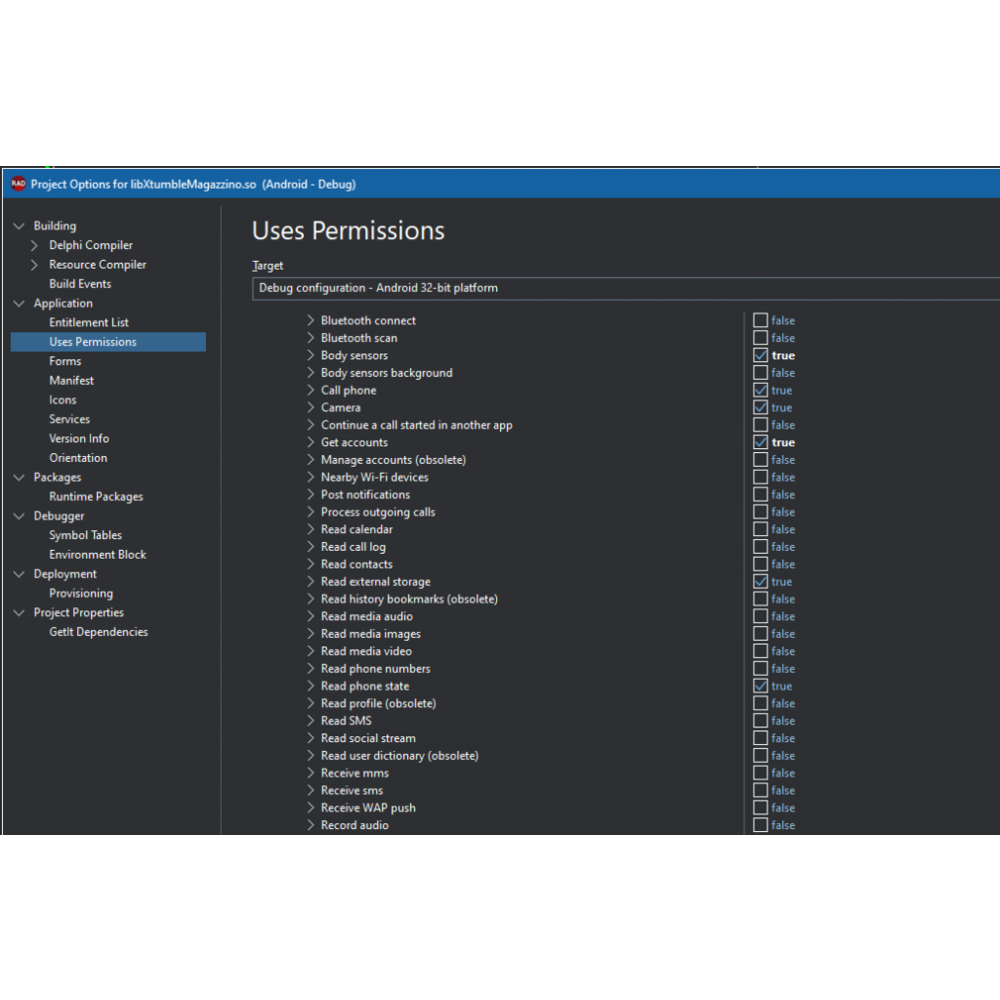 3 – Subscribe a function that handle the end of user onboarding
procedure TfrmSettings.FormCreate(Sender: TObject);
var
  ff: TStringDynArray;
  gg: String;

begin
 TentativiDiLogin := 0;
 {$IFDEF ANDROID}
 TMessageManager.DefaultManager.SubscribeToMessage(TMessageResultNotification, HandleActivityResult);
 {$ENDIF}
end;
.
procedure TfrmSettings.FormCloseQuery(Sender: TObject; var CanClose: Boolean);
begin
 {$IFDEF ANDROID}
 TMessageManager.DefaultManager.Unsubscribe(TMessageResultNotification, HandleActivityResult);
 {$ENDIF}
end;
4 – Define the function Handler
procedure TfrmSettings.HandleActivityResult(const Sender: TObject;
const M: TMessage);
var
  requestCode, resultCode: Integer;
  Data: JIntent;
begin
  if M is TMessageResultNotification then
  begin
    requestCode := TMessageResultNotification(M).requestCode;
    resultCode := TMessageResultNotification(M).resultCode;
    Data := TMessageResultNotification(M).Value as JIntent;

    if requestCode = ADD_ACCOUNT_REQUEST_CODE then
    begin

      if resultCode = TJActivity.JavaClass.RESULT_OK then
      begin
//        lblCreateNewAccountClick(nil);
        // Puoi eseguire qui le azioni necessarie dopo che l'utente ha aggiunto l'account
        // Ad esempio, recuperare le informazioni sull'account da AccountManager
        // data contiene i dati restituiti dall'attività di scelta dell'account
      end
      else
      begin
        If TentativiDiLogin = 0 then
         begin
           TentativiDiLogin := 1;
//           sleep(4000);
//           lblCreateNewAccountClick(nil);
         end
        Else
         lblCreateNewAccount.Enabled := True;
        // L'utente ha annullato l'aggiunta dell'account
        // Puoi gestire questa situazione di conseguenza
      end;
    end;
  end;
end;
5 – Define the main function, that trigger the login event
function TfrmSettings.requireUserMail: String;
var
  AccountManager: JAccountManager;
  Accounts: TJavaObjectArray<JAccount>;

  addAccountIntent: JIntent;
  accountTypesDef:TJavaObjectArray<JString>;
  accountType: JString;
begin
  result := AccountEmail;
  if result <> '' then exit;

 {$IFDEF ANDROID}
  PermissionsService.RequestPermissions
    ([JStringToString(TJManifest_permission.JavaClass.GET_ACCOUNTS)],
    procedure(const APermissions: TClassicStringDynArray; // TArray<string>;
      const AGrantResults: TClassicPermissionStatusDynArray
      // TArray<TPermissionStatus>
      )
    begin
      if (Length(AGrantResults) = 1) and
        (AGrantResults[0] = TPermissionStatus.Granted) then
      begin
        AccountManager := TJAccountManager.JavaClass.get
          (TAndroidHelper.Context);
        Accounts := AccountManager.getAccountsByType
          (StringToJString('com.google'));

        if Accounts.Length > 0 then
        begin
          // Prendi il primo account Google e recupera l'email
          var
          Email := JStringToString(Accounts[0].Name);
          AccountEmail := Email;

        end
        else
        begin


          accountType := StringToJString('com.google'); // Specifica il tipo di account, ad esempio, Google

          accountTypesDef:=TJavaObjectArray<JString>.Create(1);
          accountTypesDef.Items[0] := accountType;
          addAccountIntent := TJAccountManager.JavaClass.newChooseAccountIntent(nil, nil,
            accountTypesDef, False, nil, nil, nil, nil);

          addAccountIntent.setFlags(TJIntent.JavaClass.FLAG_ACTIVITY_NEW_TASK);

          TAndroidHelper.Activity.startActivityForResult(addAccountIntent, ADD_ACCOUNT_REQUEST_CODE);

        end;
      end
      else
      begin

      end;
    end);
{$ENDIF}
end;
6 – Tryyourapplication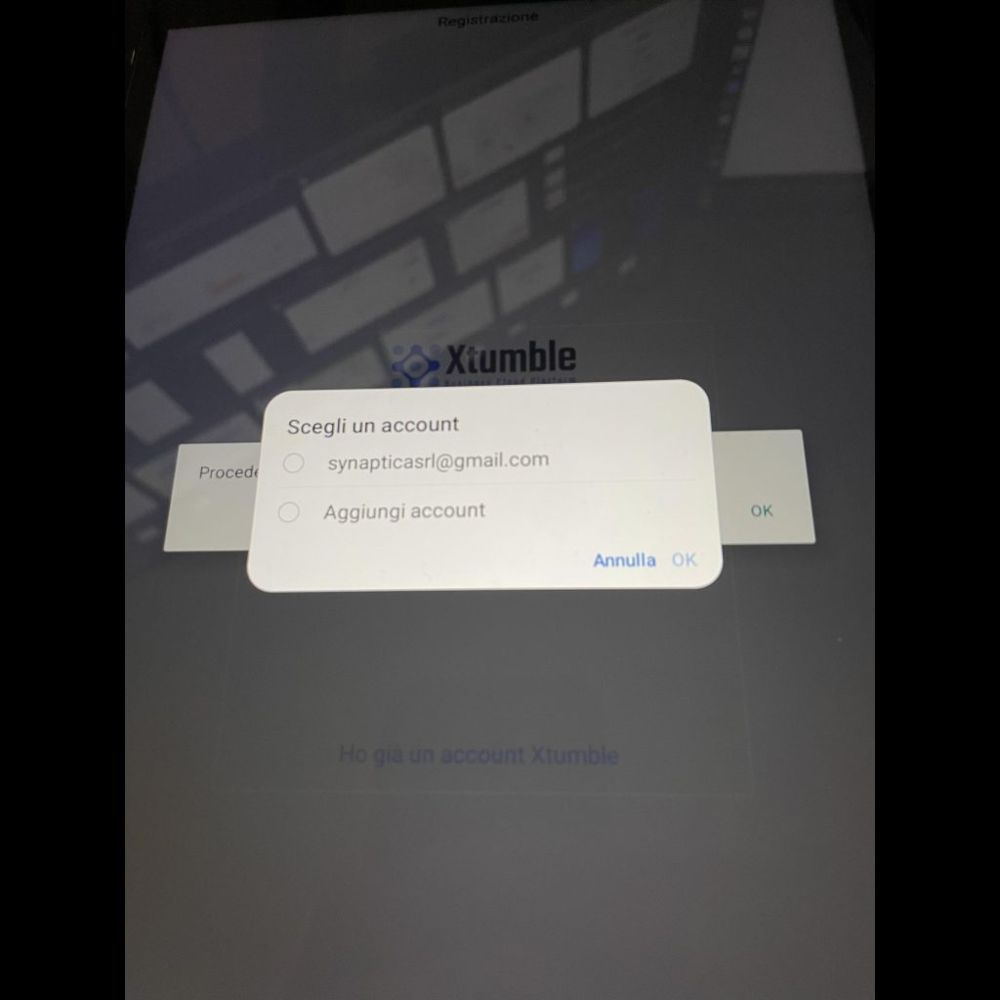


 Italiano