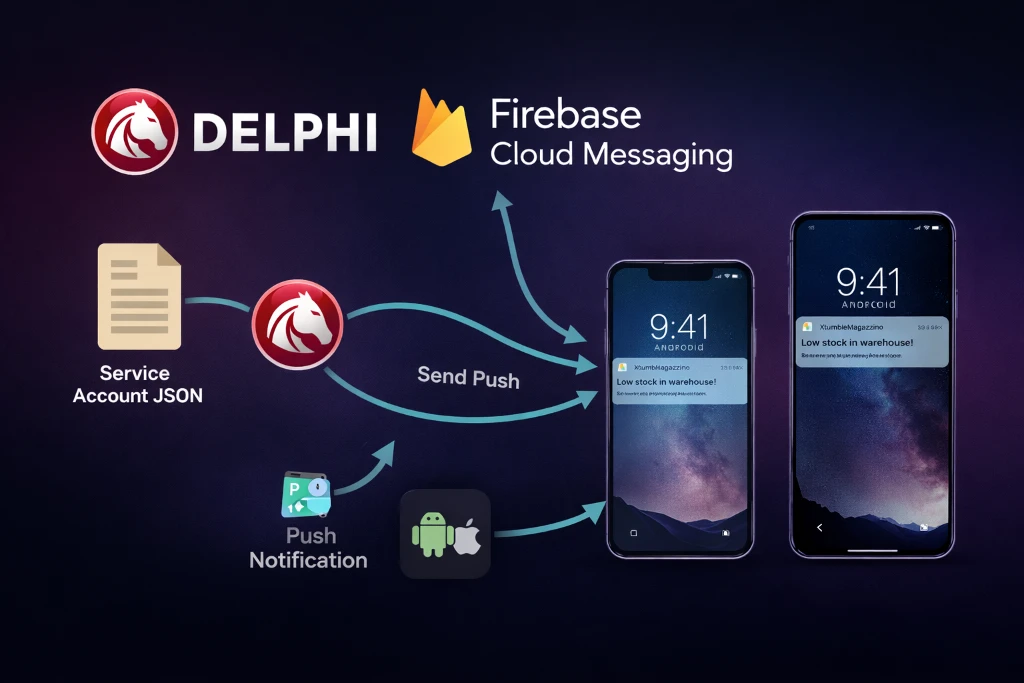
In 2022 I published an article about how to integrate Firebase Cloud Messaging (FCM) into a Delphi 11 iOS app, focusing mainly on the client-side implementation and the initial push-notification setup:
Since then, several things have happened, but it is worth clarifying this right away:
on the app side, everything we implemented continues to work and remains largely compatible.
Over time, Embarcadero released new versions of the Firebase libraries for iOS and Android, improving integration and updating the underlying SDKs, but the client-side conceptual model has not changed:
registering with the FCM service
obtaining the device token
receiving notifications (foreground/background)
handling notification / data payloads
If you already have a Delphi app in production that receives push notifications correctly, you are not required to rewrite anything on the app side.
The important change – and in many cases a mandatory one – concerns the Google APIs used to send messages.
In recent years, Google has:
deprecated and then discontinued the old FCM Legacy HTTP APIs
introduced the FCM HTTP v1 APIs, based on:
OAuth2
Service Accounts
signed JWTs (RS256)
versioned REST endpoints
This means that:
it is no longer possible (or soon will not be) to send push notifications using the classic Server Key
message delivery moves from a simple static header to a structured authentication flow
the server-side integration must be updated, especially if the backend is written in Delphi
In this article we will therefore cover:
what really changes when moving from FCM Legacy to FCM HTTP v1
why existing Delphi apps continue to work
how to correctly implement push delivery from a Delphi backend
how to securely use a Firebase service account
and how to leverage existing libraries (such as Kastri) to avoid reinventing OAuth2 and JWT
If on the app side the FCM integration has remained largely compatible with the past, on the backend side the story is different: the key change is the evolution of the sending APIs. Historically, many Delphi projects (including mine) used FCM’s Legacy HTTP APIs, based on a simple server key. Today, the correct approach is the FCM HTTP v1 API, which introduces a far more robust authentication and authorization model.
With the legacy APIs, notifications were sent to this endpoint:
POST https://fcm.googleapis.com/fcm/sendHTTP v1 uses a versioned endpoint that is explicitly tied to the Project ID:
POST https://fcm.googleapis.com/v1/projects/<PROJECT_ID>/messages:send
The payload structure changes as well: with legacy it was common to use a field like to (token or topic),
while v1 uses a message object and clearer fields such as token or topic.
In practice, the message becomes more structured and less ambiguous.
The most critical part of the migration is authentication.
With legacy, it was enough to add a static key in the header:
Authorization: key=AAAA....It’s convenient, but it comes with a downside: the key is a single long-lived secret that often ends up in the wrong places (unprotected configs, logs, backups, private-but-shared repositories, etc.). Also, the key is not contextual: anyone who has it can potentially send notifications to everything tied to that project.
With HTTP v1, the backend no longer uses a static key. Instead, it obtains an OAuth2 access token using a Service Account (private key) and a signed JWT. Sending then happens with:
Authorization: Bearer ya29....This token:
From a security perspective, HTTP v1 is simply better by design:
For those building backends in Delphi, the migration boils down to a few “building blocks”:
/v1/projects/.../messages:sendThis is where two very helpful components come into play:
DW.FCMSender:
it implements the full FCM HTTP v1 flow (JWT + OAuth2 + sending) and also builds coherent payloads for Android and APNs.
In other words: you can do everything “by hand” with Indy/OpenSSL, but using Kastri + DelphiOpenSsl saves a lot of time, reduces the bug surface area, and gets you closer to an implementation that has already been used in real-world contexts.
TBearerToken).
In the rest of this article we will see a practical Delphi example that sends a push to a single device via token, using Kastri (DW.FCMSender) and DelphiOpenSsl (Grijjy).
With the introduction of the FCM HTTP v1 APIs, Google significantly changed the authentication model for sending push notifications. The old mechanism based on a static server key was gradually phased out in favor of a more modern and secure approach, based on OAuth2 and Service Accounts.
In this new model, the backend (in our case written in Delphi) no longer uses a “fixed” key to authenticate to Firebase. Instead, it identifies itself through a service account, i.e. a technical account associated with the Google/Firebase project.
A service account is a server-to-server identity used by backend services to authenticate against Google APIs. It does not represent a human user, but a service or application.
In the context of Firebase Cloud Messaging:
In practice, the service account is the new “official passport” for talking to Google when sending push notifications.
The primary reason is security. The old server keys were:
With OAuth2 and service accounts instead:
This approach is now the standard for modern Google APIs, and FCM is no exception.
firebase-service-account.json fileThe service account JSON file is generated directly from the Firebase Console (or Google Cloud Console) and is created once.
Firebase will download a file with a name similar to:
my-project-firebase-adminsdk-xxxx.json
This file is what we will use on the backend as firebase-service-account.json.
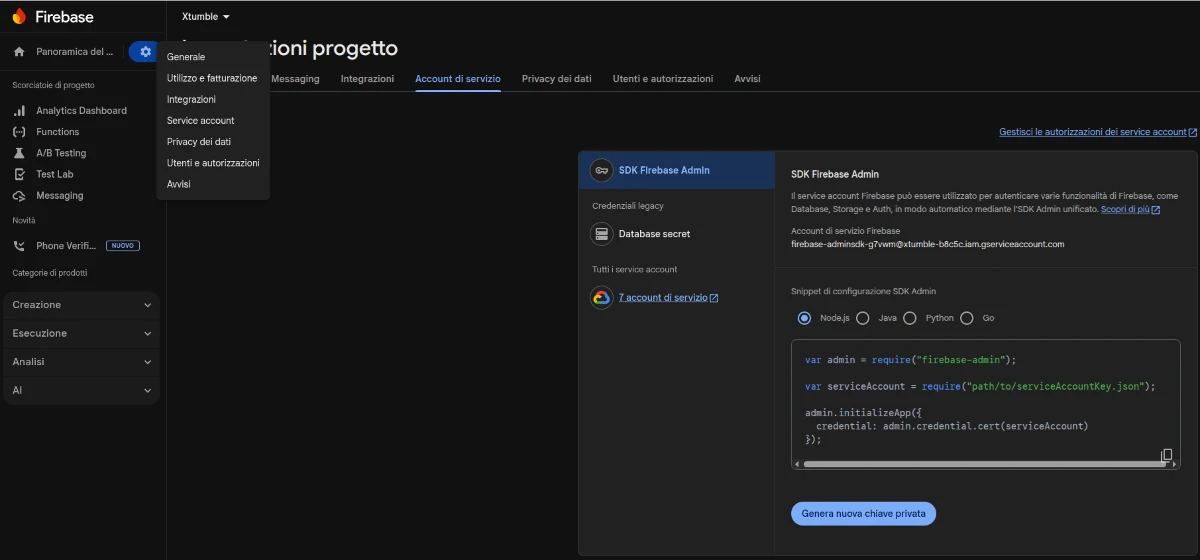
The file contains sensitive information, including:
project_id – the Firebase project identifierclient_email – the service account identityprivate_key – the private key used to sign JWTstoken_uri – Google’s OAuth2 token endpointIt is important to underline that:
On a Delphi backend, the service account is used to:
Libraries such as Kastri
(via DW.FCMSender)
and DelphiOpenSsl (Grijjy)
make this process dramatically easier by encapsulating the complexity of JWT, OAuth2, and cryptographic signing.
This keeps the Delphi code clean and readable, while the authentication follows Google’s recommended best practices.
Let’s conclude with a real example of sending a push notification to a specific device, using:
TFCMSender / TFCMMessage)In this example, the service account is loaded directly from a JSON string (for example read from a file, environment variable, or vault), and the notification is sent to two distinct devices using their FCM registration tokens.
uses DW.FCMSender;
.
.
.
.
.

procedure TForm6.Button1Click(Sender: TObject);
var
  LSender: TFCMSender;
  Msg: TFCMMessage;
  Payload: string;
begin
  // Instance of the FCM sender (handles OAuth2, JWT, and HTTP v1 posting)
  LSender := TFCMSender.Create;
  try
    // Load the service account from JSON (string)
    // Alternative: LoadServiceAccount('path/file.json')
    if not LSender.ServiceAccount.Parse(c_service_account_xtumble) then
      raise Exception.Create('Invalid service account JSON');

    // Create the FCM message
    Msg := TFCMMessage.Create;
    try
      // Notification title and body
      Msg.Title := edTitle.Text;
      Msg.Body  := edBody.Text;

      // Additional data (MUST be valid JSON with string properties only)
      // It will be delivered under the "data" payload in the app
      Msg.Data := Format(
        '{"message_id":"%s","type":"shipment"}',
        ['xtumble']
      );

      // Build the payload for the first device (specific token)
      Payload := Msg.GetTokenPayload(device_token_simo);

      // Send the notification
      if LSender.Post(Payload) then
      begin
        // Push sent successfully to the first device
      end;

      // Send the same notification to a second device
      Payload := Msg.GetTokenPayload(device_token_ivan);

      if LSender.Post(Payload) then
      begin
        // Push sent successfully to the second device
      end;

    finally
      Msg.Free;
    end;
  finally
    LSender.Free;
  end;
end;
Behind just a few lines of code, TFCMSender automatically performs:
The FCM token passed to GetTokenPayload uniquely determines the recipient device: even if the Firebase project contains multiple apps
(iOS / Android), the message will be delivered only to that specific device.
This approach is the modern, recommended way to integrate Firebase Cloud Messaging into a Delphi backend:
Once the service account is correctly set up, sending push notifications becomes an implementation detail, allowing you to focus on application logic (events, workflows, and targeted notifications).


 Italiano